Upload
Drop in purchase orders, packing slips, or invoices so supplier lines become structured review work.
Supplier PDF received

Update Shopify inventory from supplier invoices, PDFs, and purchase orders. DocToStock extracts line items, matches products by SKU or barcode, and lets your team review every stock change before syncing.
A 2-minute walkthrough of the complete DocToStock flow — document in, inventory updated, no typing required.
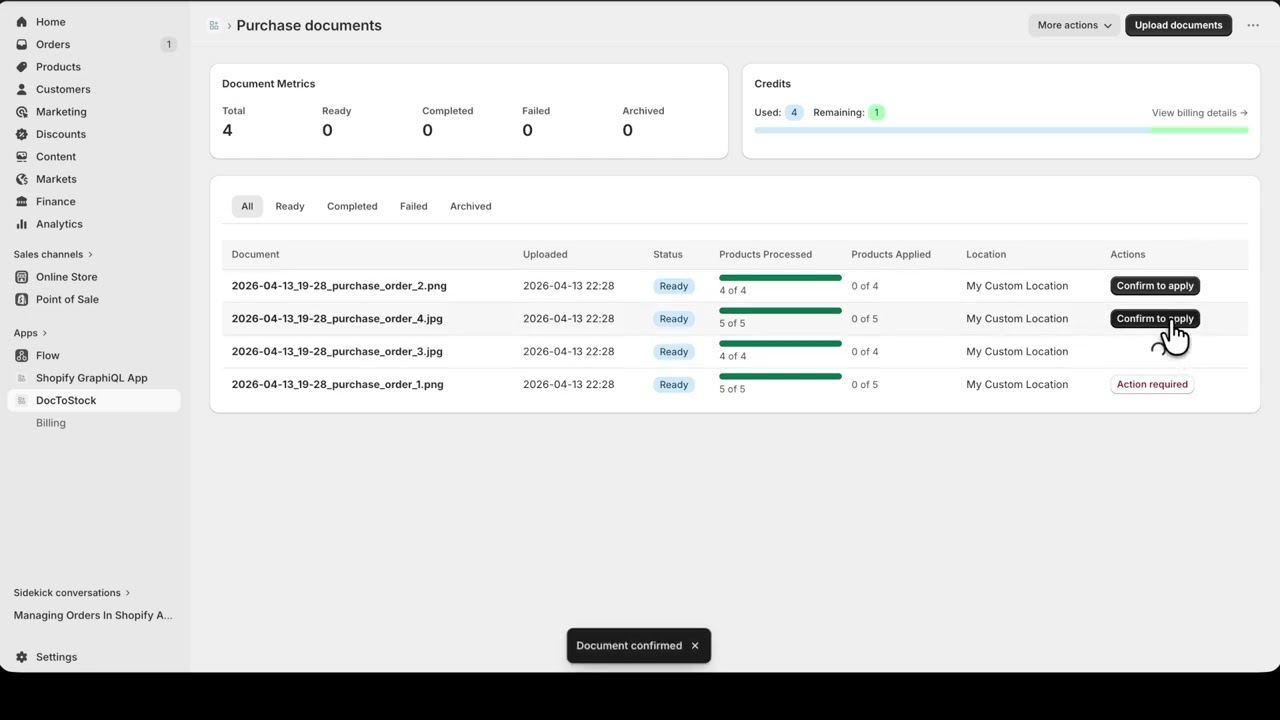
DocToStock extracts the lines automatically behind the scenes — turning physical supplier paperwork into extracted line items, high-confidence matches, and stock updates ready to approve.
You stay in full control. Shopify operators use our intuitive dashboard to verify auto-matched items, adjust quantities, choose inventory locations, and review the audit trail before anything syncs.
Upload, Auto-match, Review, and Sync stay visible as one operator control path while the tabs below show the evidence for each step.
Drop in purchase orders, packing slips, or invoices so supplier lines become structured review work.
DocToStock extracts line items and matches them to Shopify products by SKU and barcode for review before syncing.
Your team confirms quantities, corrects matches, and chooses the inventory location before anything syncs.
Only reviewed and approved inventory changes are sent to Shopify, keeping stock updates controlled and auditable.
Drop in purchase orders, packing slips, or invoices so supplier lines become structured review work.
DocToStock extracts line items and matches them to Shopify products by SKU and barcode for review before syncing.
Your team confirms quantities, corrects matches, and chooses the inventory location before anything syncs.
Only reviewed and approved inventory changes are sent to Shopify, keeping stock updates controlled and auditable.
Four practical guardrails keep the experience fast for operators and safe for stock records.
Upload purchase orders, packing slips, and invoices — DocToStock handles extraction and matching automatically, so your team spends time reviewing, not re-entering data.
DocToStock extracts product lines from supplier documents and automatically matches them to your Shopify products using SKU and barcode — no manual lookup required.
Operators confirm quantities, correct product matches, select the target inventory location, and approve each line before anything changes in your store.
Only approved inventory changes are sent back to Shopify, so stock updates stay controlled and auditable.
Everything you need to know about syncing Shopify inventory from supplier files.